





The Kworkflow
This is another software tool that will help us perform our activities related to kernel development.
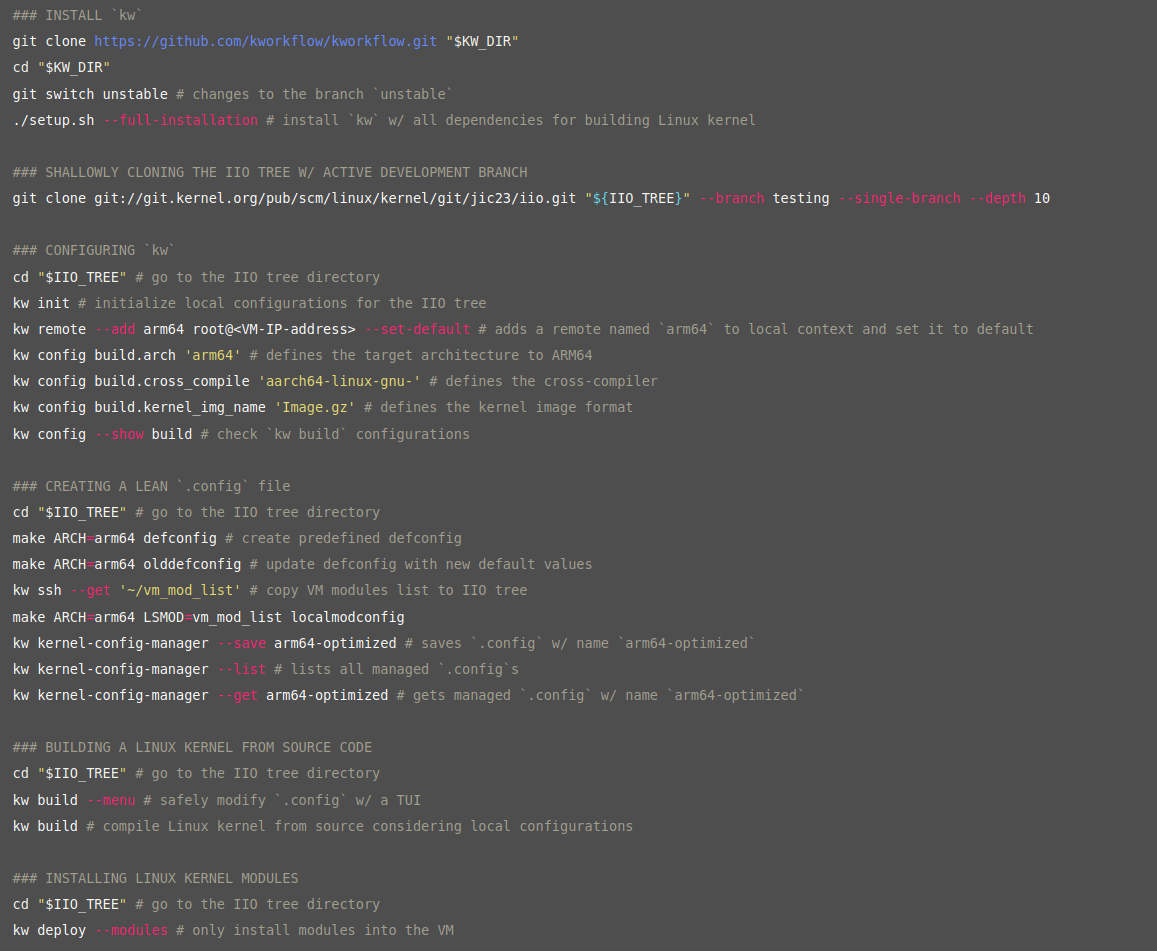
To install it, we cloned its repository and used the command below:
./setup.sh --full-installation
For future kw updates, we can use:
kw self-update # updates na master
kw self-update --unstable # updates na branch unstable
kw --version # para checar sua versão
There are multiple Linux kernel subsystems, and we will be using IIO for our activities. These are also called kernel trees.
With kw, we can create local configurations for our kernel (it works similarly to git).
To initialize a config, we use:
cd "$IIO_TREE" # go to the IIO tree directory
kw init # initialize local configurations for the IIO tree
We can configure kw to facilitate SSH access to our VM:
cd "$IIO_TREE"
kw remote --add arm64 root@<VM-IP-address> --set-default
kw ssh
Configuring the kernel compilation
The kernel build system (kbuild) uses .config files for configuration, and there are pre-configured .config files for some architectures. Thus, we set our config for the architecture type we are using, which is arm64. Some other configs were also necessary due to the fact that we are cross-compiling.
To compile the kernel, we use:
kw build
We install the modules on the VM:
kw deploy --modules
And we update our activate script to point to the new kernel.
After that, we recreated our VM with the new settings. Although the VM starts successfully, the logs do not appear in the terminal.
We can check which kernel we are using by entering the VM and running:
uname --kernel-release