





Arkanjo
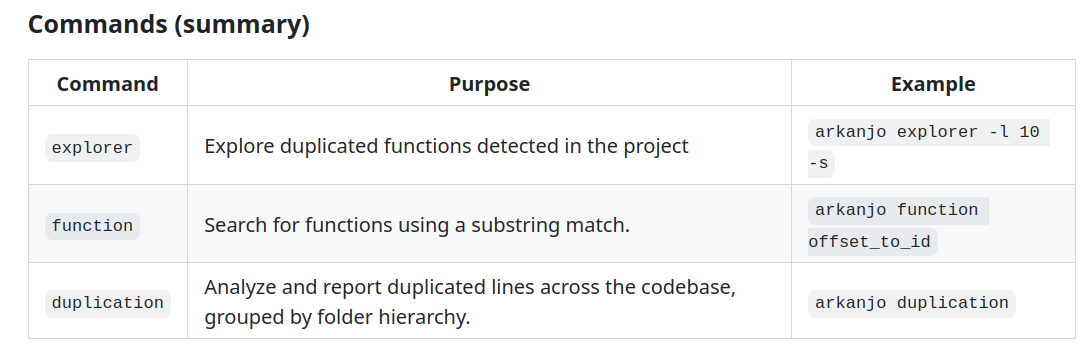
ArKanjo is a CLI tool designed to help developers find code duplication within their codebases, specifically within the scope of functions.
The current functionalities of the tool are:
-
Explore code duplication in a codebase, with a limited number of filters available to the user.
-
Find all functions that are duplicates of a function specified by the user.
-
Create a report detailing the number of duplications in the codebase, separated by folder.
Some other commands were used for the creator’s master’s degree, but they are not relevant to end-users.
The tool currently supports only the languages provided by the Tree-sitter API; these must be explicitly added to the config.json file.
setup
After cloning the project we needed to install dependencies:
pip3 install --user nltk --break-system-packages
We also needed to install cmake:
apt install cmake
An error related to unicoed occured. It was necessary to install:
sudo apt-get install libicu-dev
Then we did the build and install:
mkdir build
cd build

cmake ..
cmake --build .
sudo cmake --install .
Some python errors ocurred related to unicode, the following was done: para erros do python foi preciso executar:
python3
import nltk nltk.download(‘punkt_tab’)
Executing the tool
We can run the pre-processor to create the cache dirs with the content of the duplicated functions:
arkanjo-preprocessor build --name [results-dir-name]
After the preprocessor we can search for duplications with different options, such as explore